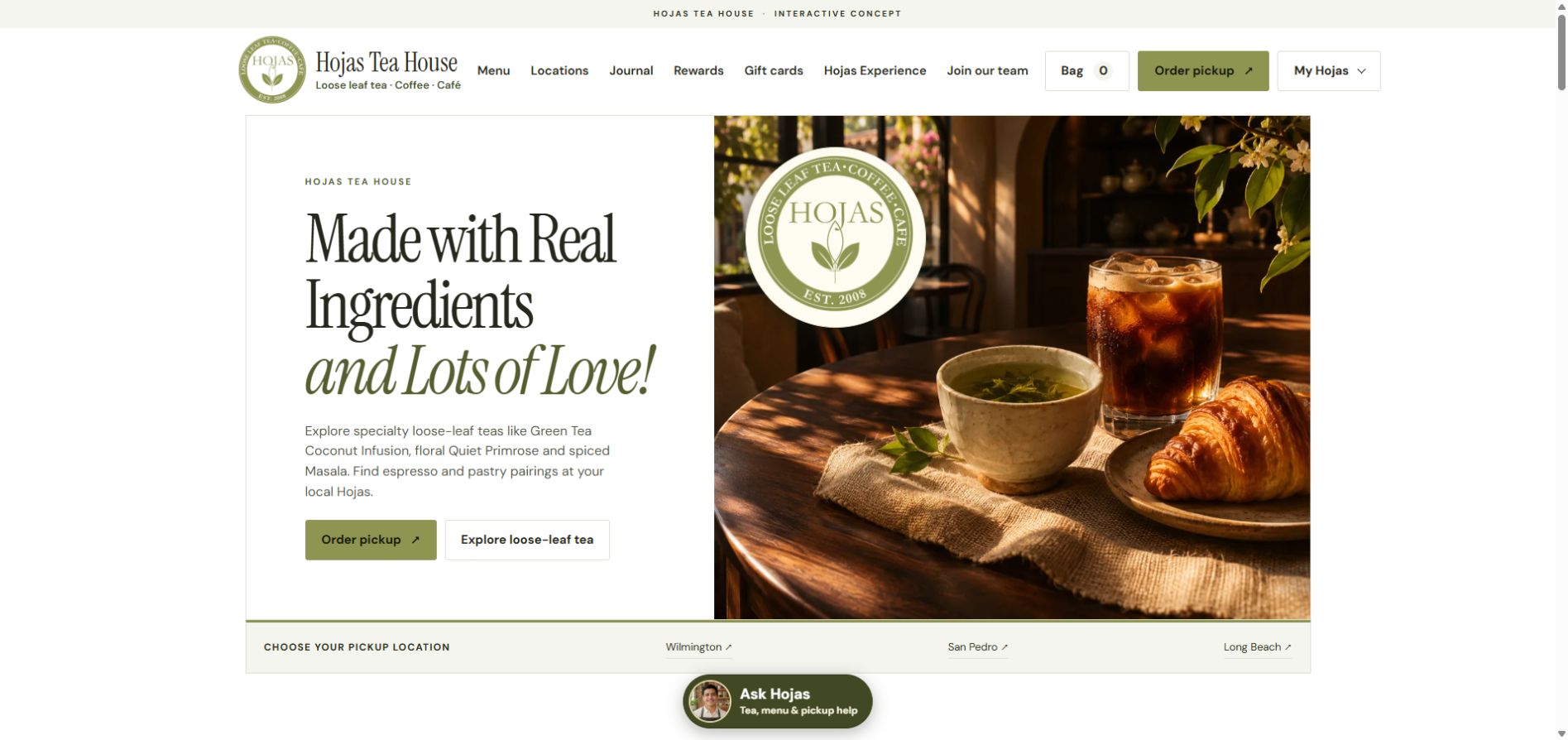
HOSPITALITY
Hojas Tea House
Multi-location tea discovery, ordering journeys and customer engagement.
Explore the case study →GENERATIVE ENGINE OPTIMIZATION · GEO
Get found in search and AI, then turn interest into business with a custom website, client portal or operations platform.
ChatGPT, Grok, Gemini, Claude and Perplexity are changing how people find answers. When AI searches the web, give it useful, credible information about your expertise, services and business.
Get Found in Search & AI →SEO + AI visibility + useful content. Built around your business.

BE PART OF THE ANSWER
Your knowledge. Your website.
Your next opportunity.
REAL PROJECTS · KONNECTOS CASE STUDIES
Explore connected customer experiences, custom commerce, membership portals and financial services platforms. Case studies distinguish live websites from interactive demonstrations.
HOSPITALITY
Multi-location tea discovery, ordering journeys and customer engagement.
Explore the case study →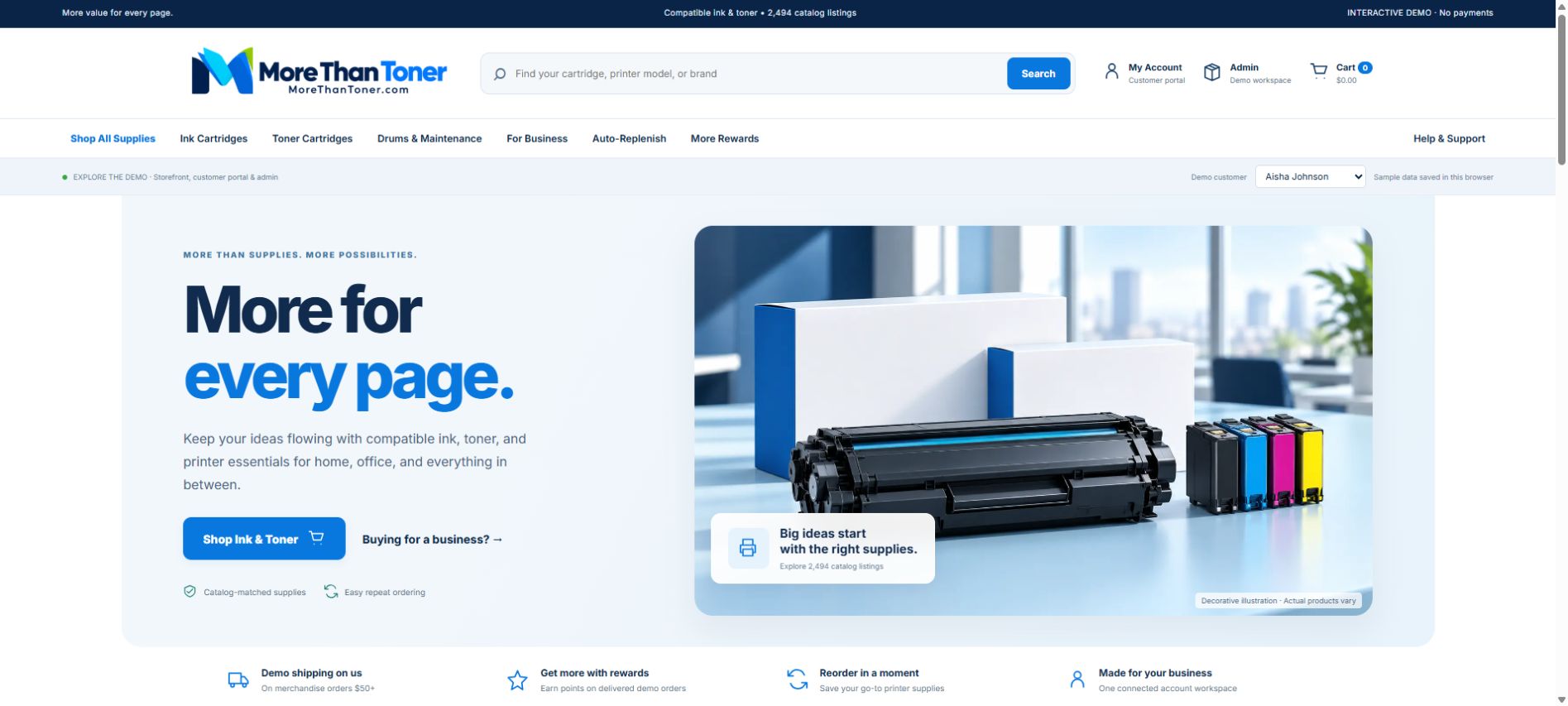
E-COMMERCE
Product discovery, customer accounts and repeat-purchase workflows.
Explore the case study →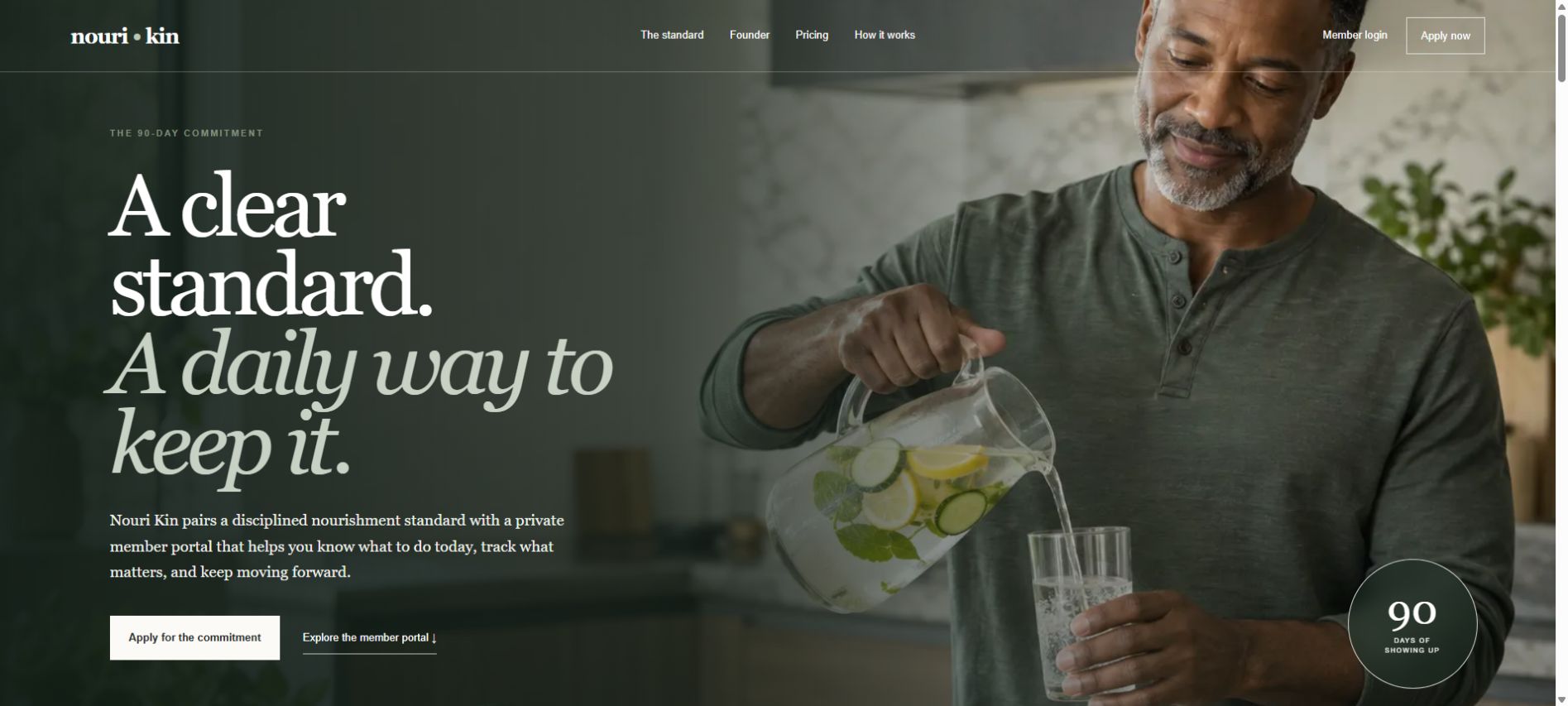
MEMBERSHIP
A branded 90-day lifestyle membership and private portal concept.
Explore the case study →View all client case studies → · Compare project scope and starting price →
GENERATIVE ENGINE OPTIMIZATION · GEO
If your business is missing from the conversation, a competitor may get the introduction.
When a customer asks AI whom to consider, your website needs more than a sales pitch. It needs clear service information, useful answers and evidence that supports what you do. Generative Engine Optimization brings those pieces into a focused visibility plan.
PICTURE YOUR NEXT CUSTOMER’S SEARCH
Explore two illustrative answer experiences. Open a source to see how useful content can connect discovery to your website.
A custom operations portal can bring customer records, staff tasks, documents and approvals into one workspace. Compare developers on workflow experience, integrations and how they define data access.
Look for a clear project scope, a working review process and a plan for support after launch.
Example source · konnectos.comBusiness Operating Systems | KonnectOSCustom workflows. Connected operations.A focused service page explains the workflow, who it helps, what can be built and how to start a project. The source above opens a real KonnectOS service page.
Be discoverable at the moment of research. Connect a clear customer question to a relevant page and a useful next step.
Start with a company that can turn a business problem into a defined, testable project. Ask how it will:
A source link gives the reader a way to inspect your expertise. Your guide can connect the answer to relevant services, project examples and a consultation.
Give the conversation somewhere to go. A helpful answer can introduce your expertise and lead readers to your source content.
Illustrative interface previews created by KonnectOS, not screenshots or verified search results. Example wording and source placement are for demonstration. Google and OpenAI control their own results; appearance, citations and recommendations vary. No affiliation or endorsement.
See how we build an AI visibility planA customer may form a shortlist before visiting your website. If your expertise is hard to discover or your information is outdated, you can miss that opportunity to be considered.
Original resources, a connected website and a useful measurement baseline take work. Starting now gives you time to learn, improve and build a library your business can stand behind.
Protect your future customer pipeline. Begin with the questions your customers ask and a practical plan for SEO, GEO, content and the experience that follows discovery.
Start with a website analysis, then talk with KonnectOS about building your visibility plan.
Starting sooner gives you more time to build and improve. It does not guarantee an early-mover advantage, future pricing, rankings or AI recommendations.
GET FOUND. BUILD TRUST. STAY CONNECTED.
KonnectOS connects your public website, resource center and customer experience. SEO and GEO help people discover useful information. Custom software and a branded portal help your team respond, deliver and follow through.
A REAL LOOK INSIDE
See how guides, articles and answers become a branded destination. Enlarge either capture or open the live page.
A real view of KonnectOS buyer guides, articles and Q&A.
Browse the resource libraryStructured sections, practical answers and links that help readers take the next step.
Read the AI consulting guideA clear next step for the reader
Illustrative content structurePublish crawlable service pages, descriptive titles, relevant guides and clear internal links. Give customers and research tools accurate information about your work.
Explore SEO & GEO →Connect content approvals, inquiries, staff tasks and reporting around your process. Build the workflows that keep public information useful and customer follow-up accountable.
Explore custom platforms →Give customers a branded place for documents, progress and service. Use recurring questions to inform separately reviewed public guides, with permission and sensitive details removed.
See the customer experience →Private portal records stay private. A portal or custom build does not automatically improve rankings. The SEO and GEO benefit comes from the public content, technical implementation and publishing process it supports.
Connect My Visibility & Customer Experience →Read how the pieces work together
Replace Subscriptions. Save Money. Take Ownership.
PURPOSE BUILT. INDUSTRY SPECIFIC.
Your team, your clients, your way of working. A customized platform starts with understanding all three.
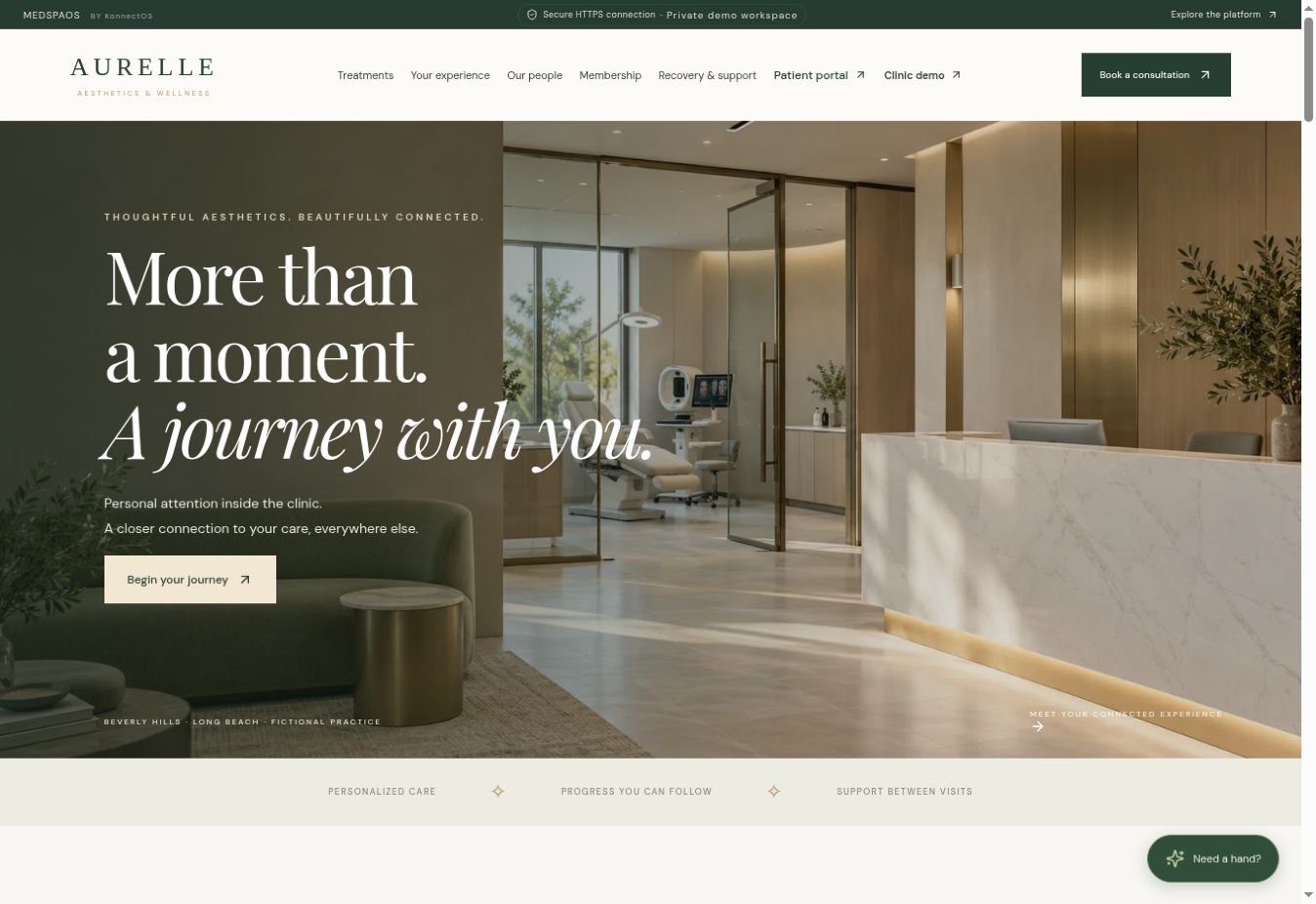
MedSpaOS
Explore a premium clinic website and connected workspaces for appointments, patient journeys, recovery check-ins, staff training, products and practice operations.
Optional AI Agent & Automation upgrades
Explore your industry →
RestaurantOS
Give guests a branded mobile ordering experience with menu browsing, order progress, pickup updates and a connected workspace for your restaurant team.
Optional AI Agent & Automation upgrades
Explore your industry →
LegalOS
Connect intake, matter updates, secure document requests, appointments and billing around the way your law office works.
Optional AI Agent & Automation upgrades
Explore your industry →
MedicalOS
Help patients navigate appointments, administrative forms, requests and billing while giving staff a more organized workspace.
Optional AI Agent & Automation upgrades
Explore your industry →
FinanceOS
Organize onboarding, requested documents, review meetings and service progress in a customized client experience.
Optional AI Agent & Automation upgrades
Explore your industry →
TaxOS
Bring document collection, preparation status, questions, review appointments and invoices together.
Optional AI Agent & Automation upgrades
Explore your industry →
ContractorOS
Bring leads, estimates, jobs, team assignments, progress updates and customer billing into a connected workflow.
Optional AI Agent & Automation upgrades
Explore your industry →
PropertyOS
Coordinate properties, maintenance requests, vendors and owner reporting with role-specific access.
Optional AI Agent & Automation upgrades
Explore your industry →
ServicesOS
Connect onboarding, projects, documents, approvals, scheduling and billing for your service business.
Optional AI Agent & Automation upgrades
Explore your industry →Industry scenes are AI-generated illustrations. The MedSpaOS image is a screenshot of its live fictional demonstration.
A CUSTOMER EXPERIENCE THAT GOES WITH THEM
Give clients a branded mobile experience they can return to for appointments, messages, documents, invoices and progress updates. Your business becomes easier to reach—and easier to come back to.
With permission, notifications can remind customers about appointments, ready-to-review work, outstanding requests and service renewals.
An installable web app can put your branded portal alongside the apps they use every day, on supported devices.
Make the next booking, payment or conversation convenient. Keep customers connected with timely, relevant updates.
Interactive concept with fictional data. Push notifications require customer opt-in and supported browser/device installation. A native App Store app is a separately scoped option. This example does not send real notifications. Assistant responses are scripted examples; AI is an optional configured add-on.
YOUR CUSTOMER PORTAL
Everything you need, in one place.
Design review is ready
November 4 · 10:00 AM
Sample balance · $450
Try the tabs. Preview a notification.
See how your clients stay connected.
ONE CONNECTED BUSINESS EXPERIENCE
Give employees and clients an optional assistant for portal guidance, permitted project summaries, personal follow-up tasks, service-request preparation and message drafts. Writes stay behind a review-and-confirm step.
Less time finding the next step, with users in control of changes. Model usage, knowledge sources, provider/data agreements and additional integrations are scoped separately. No automatic compliance or unrestricted access.Explore this solutionLearn your new workspace
Add guided onboarding and optional interactive practice to your employee and client portals. Role-specific lessons, section quizzes and completion records help people understand their new platform before relying on it every day.
A more confident team and better-informed customers. Completion certificates document software-course completion, not professional accreditation. Courses and rollout rules are customized to your deployed platform.Explore this solutionTurn the way your business actually works into an intuitive application. Replace repetitive spreadsheets and disconnected handoffs with a system your team can use every day.
A clear path from business requirements to a managed application.Explore this solutionConnect customer records, projects, documents and billing around your own operating model. Start with the highest-friction workflow and expand in deliberate phases.
Less re-entry, clearer accountability, and a consistent customer experience.Explore this solutionCapture inquiries, organize follow-ups, and understand what moves prospects to customers. Your pipeline can connect directly to proposals and onboarding.
See who needs attention and what happens next.Explore this solutionYour project is moving forward.
Offer a branded home for progress updates, documents, appointments, invoices and support. Customers get clarity while your team spends less time repeating status updates.
A more useful relationship after the first sale.Explore this solutionGive employees access to the tasks, schedules, documents and internal resources relevant to their responsibilities.
Useful access without exposing unrelated customer information.Explore this solutionWebsite implementation
Build estimates, approvals, invoices and financial dashboards around your services. Integrate established accounting software when general ledger, tax or reconciliation requirements call for it.
Billing tailored to your operations, with accounting requirements scoped explicitly.Explore this solutionYour next visit is ready to book.
Choose a time ↗Make repeat service simple through accessible account history, service reminders, renewal workflows and a convenient customer portal.
Support stronger relationships without promising guaranteed retention.Explore this solutionBring relevant measures together with clear definitions and traceable source records. Separate booked revenue, collected payments and recurring contracts.
Measures your team can understand and act on.Explore this solutionMap repeatable processes, define approval boundaries, and automate routine routing. Human review stays in place for exceptions and consequential decisions.
Consistent follow-through with clear ownership.Explore this solutionEvaluate practical uses for assisted search, summaries and drafting. Keep access controls, human review, data handling and ongoing costs visible.
AI as a considered feature of your platform, when it supports your business.Explore this solutionPlan identity, authorization, backups, monitoring and incident procedures from the beginning. Define responsibilities and verify controls before sensitive data is introduced.
A documented security operating model, tailored to the contracted scope.Explore this solutionKeep your existing site and add a portal, redesign it around stronger conversion paths, or build a new integrated experience.
A public presence that leads naturally into service.Explore this solutionIllustrative software previews with fictional example data. Explore each solution for scope and implementation details.
OPTIONAL UPGRADES FOR EVERY WEBSITE & INDUSTRY PLATFORM
Every website and platform can be scoped for optional AI Agent and Automation upgrades. Start with the tools your customers need today, then add capabilities that help your team serve them better.
Where can I find my project update?
Open your project workspace to review the latest status. Need help? I can guide you to your team.
Help customers find answers from approved business information, navigate services, begin intake and reach the right person. Define what the agent can access and when it hands off to your team.
Connect appointment reminders, document requests, approved follow-ups, task routing and service updates. Keep staff approval in place for consequential actions.
Plan integrations, role-based access, approved knowledge sources, consent preferences, activity logging and human review around your industry and data requirements.
AI readiness is an architecture and discovery goal, not a certification. Upgrade availability, integrations, provider usage costs and implementation scope are confirmed in your proposal. Compliance requirements, vendor agreements and controls must be validated for each deployment before sensitive workflows are activated.
SEARCH IS BECOMING A CONVERSATION
A useful resource center connects your expertise to the questions people ask. KonnectOS brings research, content, SEO foundations and visibility measurement into a process you can build on.
FROM A QUESTION TO A USEFUL SOURCE
Keep research, content review and measurement connected. Your team approves what becomes public.
Explore the Visibility ModelHow should a business scope its first AI pilot?
Buyer questionAI consulting guide with scope, permissions and evaluation.
Editorial reviewLink the guide to services and review discovery evidence.
Source contentIdentify customer needs, relevant public questions and gaps in competing content. Prioritize the answers that support real decisions.
Create original guides, service explanations and evidence that search engines and AI research tools can discover on your website.
Review search performance and sampled AI mentions, citations and recommendation language. Use the evidence to guide your next improvement.
Visibility depends on content quality, relevance and each platform’s systems. Rankings, citations and recommendations are not guaranteed. Monitoring scope and connected providers are confirmed for your project.
YOUR CUSTOMERS. YOUR DATA. YOUR CONTROL.
Your platform should reflect how your business works, including who can see information, who can act on it and how you keep access to your data as you grow.
Bring the public website, customer portal and internal operations together around your business. Keep your brand at the center of the relationship and define the boundaries behind every sign-in.
We scope data ownership, export access and security responsibilities in your agreement, so the decisions behind your platform are as clear as the experience in front of your customers.
Plan my business platform Explore ownership & data access ↗Business owner
Define who can manage users, review operations and approve changes. Your leadership view can bring customer activity, work queues and reporting together.
Sensitive actions can require a second approval.
Example permissions show what can be designed. Actual roles, controls and validation are defined for your project.
Document customer data ownership, software rights and source access in the agreement. Identify export formats and any retained third-party services before the build.
Map owners, employees and customers to specific permissions. Define onboarding, offboarding and approval steps around the information each role handles.
Set responsibilities for hosting, backups, updates, monitoring and incident response. Record the service scope and recovery expectations for your deployment.
Make informed decisions before you build. Your proposal identifies hosting, management, provider costs and the responsibilities each party accepts.
Review our security approachFROM DISCOVERY TO DAILY OPERATIONS
A strong launch begins with a clear scope. Stay involved through working reviews, practical handover and an operating plan your team understands.
DISCOVER & DEFINE
Walk through how an inquiry becomes a customer, how your team delivers service and where work gets stuck. Choose a first release with a useful, complete outcome.
Review the workflow map, required roles, integration dependencies and proposed priorities. Confirm the deliverables, exclusions, budget and milestones in your proposal.
Approve the scope before development.
DESIGN & DEVELOP
Turn the approved scope into connected screens and working workflows. Review the customer journey alongside the employee tools that make it possible.
Use the agreed review environment to walk through real scenarios with representative test data. Record feedback, confirm acceptance criteria and approve changes through the project process.
Review the work at agreed milestones.
LAUNCH & MANAGE
Prepare the production setup, migration and launch checklist. Make the handover practical with documented responsibilities and a clear route for support.
Review deployment responsibilities, account access, team guidance, support contacts and the ongoing service scope. Confirm backup and recovery arrangements and prioritize the next improvements.
Approve launch readiness and ongoing scope.
MAKE YOUR NEXT MOVE CONCRETE
Show us your current tools, the workflow you want to improve or the customer experience you have in mind. We’ll help define what to build first.
YOUR NEXT CHAPTER
Explore the interactive demos and tell us what you would like to build. Your project workspace brings together private asset uploads, project progress, quote approvals, invoices and service requests.
Request a consultation →